Do you enjoy using terminal-based TUI (Text User Interface) applications? Personally, I love them. They are easier to use than command-line tools, lighter than GUI applications, and have a nostalgic charm that makes them fun to work with. TUI applications are also incredibly convenient because they are not tied to any desktop environment and can be launched directly from editors such as Emacs or Vim.
In this article, I’d like to introduce several TUI Git clients that run on Linux.
Tig
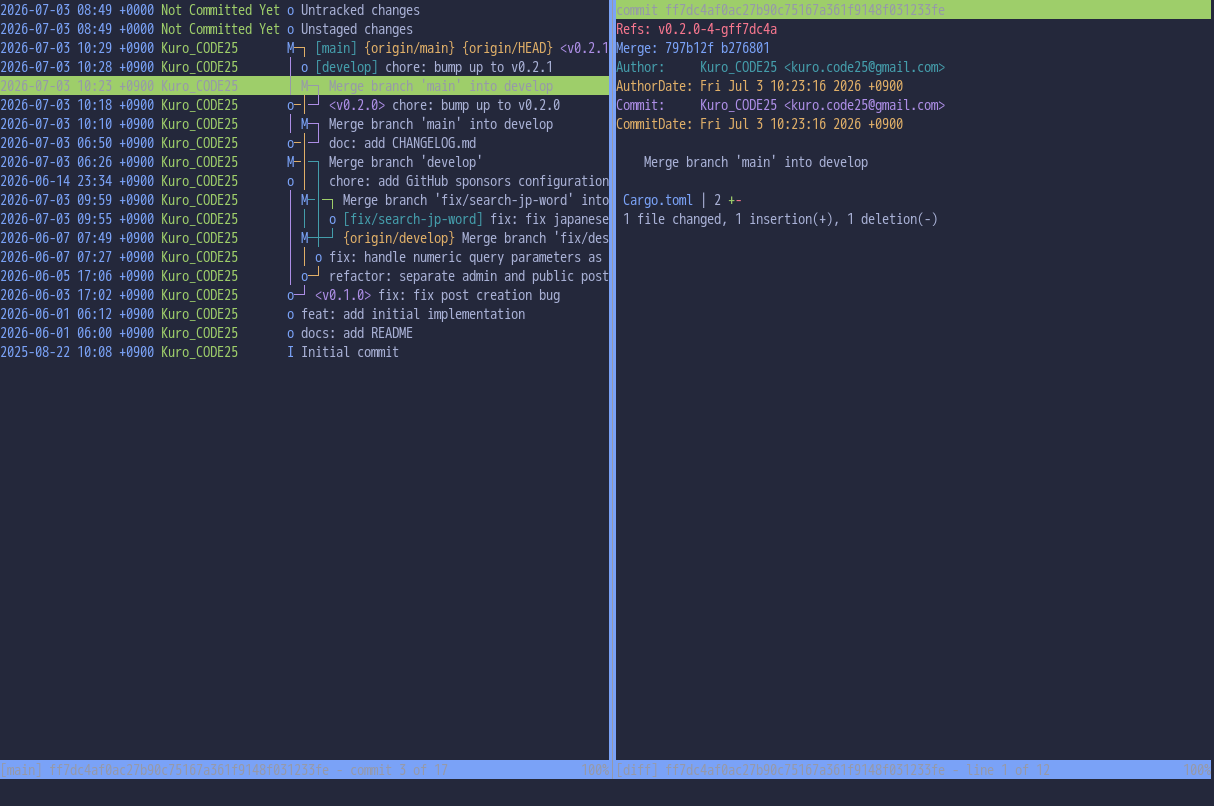
Overview
tig is a TUI Git client that combines Vim-like key bindings with a simple interface and exceptional extensibility. I’ve been a huge fan of Tig for many years, and it has been my Git client of choice for a long time.
Its greatest strength is its customization. By simply adding custom commands to your .tigrc file, you can tailor Tig to fit your workflow. If you’re already familiar with Git commands, you can think of Tig as a place to register shortcuts for your favorite Git operations.
For example, adding the following line to your .tigrc file:
bind stash A ?git stash apply %(stash)
allows you to press Shift + A in the stash view to execute git stash apply on the currently selected stash. By default, Shift + P is assigned to git stash pop, but adding your own commands like this is quick and straightforward. It’s essentially a way of registering your own Git command shortcuts directly inside Tig, allowing you to use Git features that aren’t available through the default interface.
If you enjoy Vim key bindings, prefer working directly with Git commands, and want a highly customizable TUI tool, Tig is an excellent choice.
Installation
Tig is available as an official package in most Linux distributions, so the first thing to do is check your distribution’s package manager.
The official Installation Instructions describe how to build Tig from source as well as how to install it using Homebrew or various Linux package managers. Although Void Linux isn’t explicitly mentioned there, Tig is available through the XBPS package repository.
Lazygit
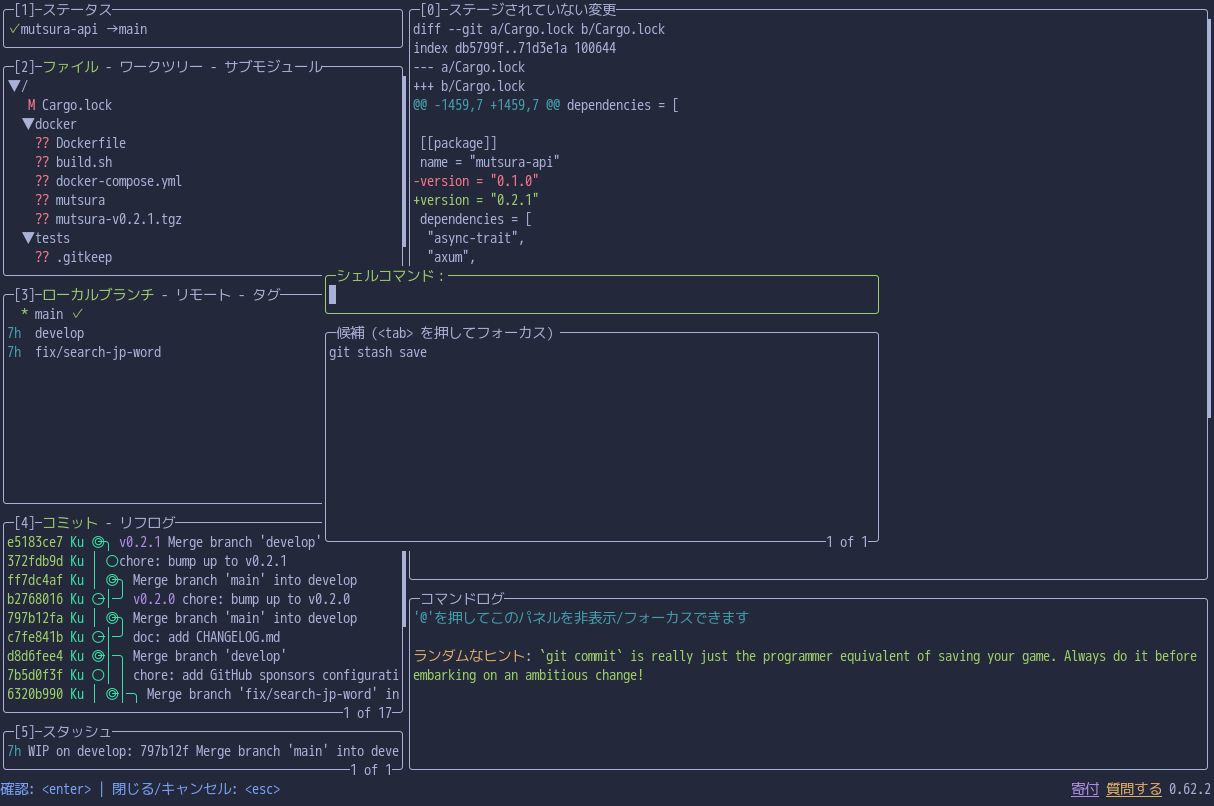
Overview
Lazygit is a terminal-based Git client written in Go that allows you to perform Git operations almost as intuitively as using a GUI application—all from the keyboard. It is available as an official package in many Linux distributions.
The interface is impressively polished for a TUI application, making Git operations feel smooth and seamless. While I think of Tig as a convenient collection of Git command shortcuts, Lazygit delivers an experience much closer to that of a full-fledged GUI Git client.
Although I personally prefer Tig, Lazygit has an enormous user base, with roughly 80,000 GitHub stars. Unlike Tig, Lazygit displays multiple panels on a single screen and lets you switch focus using the Tab key or number keys. It’s an excellent choice if you prefer seeing as much Git information as possible at a glance.
Installation
Lazygit is packaged by many Linux distributions, so it’s worth checking your distribution’s package manager first.
If it isn’t available, you can install it directly using Go:
go install github.com/jesseduffield/lazygit@latest
Gitui
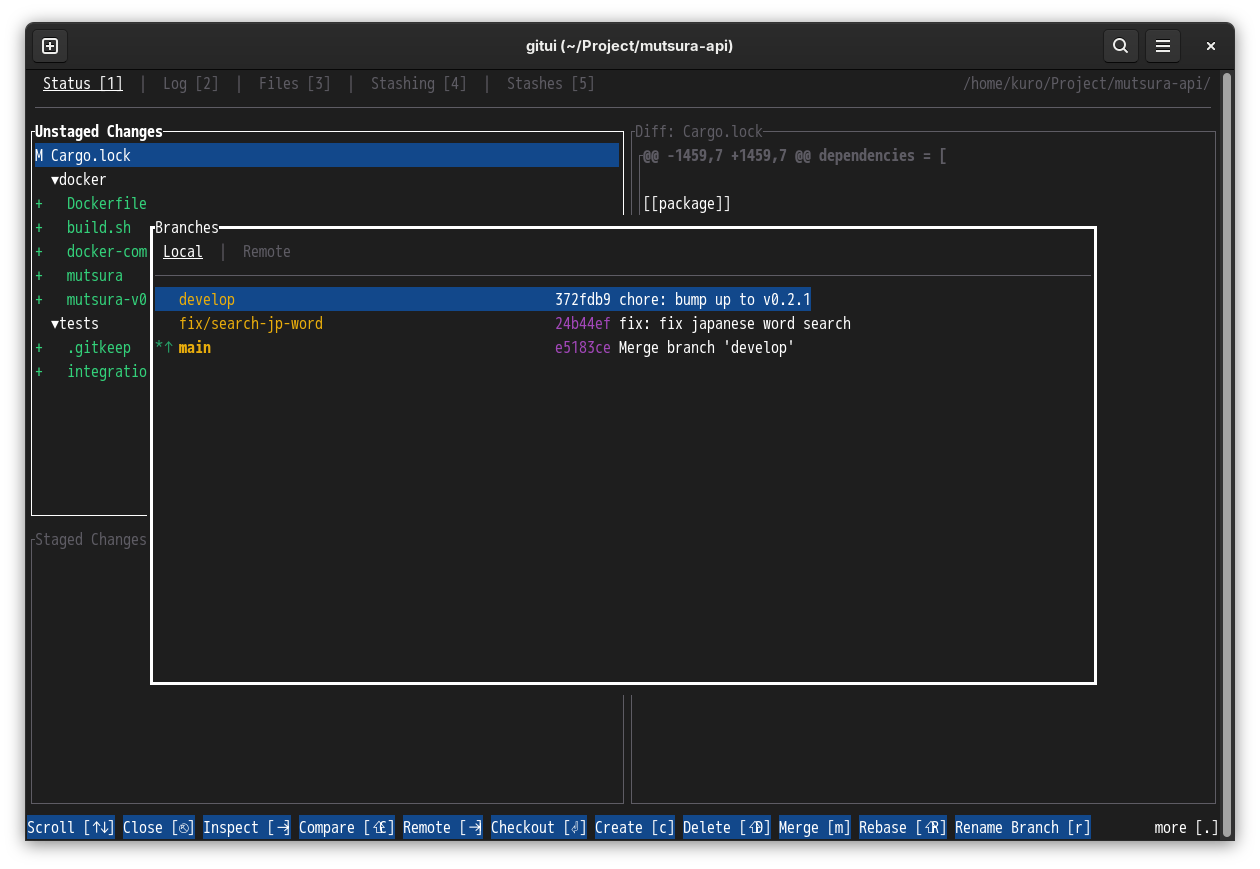
Overview
Gitui is a Git client written in Rust.
Unlike Lazygit, which displays nearly everything on a single screen, Gitui adopts a tab-based interface. This allows users to focus only on the information relevant to the current task. The available actions change depending on the active tab, with the corresponding menu displayed at the bottom of the screen.
If you prefer having all Git information visible simultaneously, you may find Gitui less convenient than Lazygit. However, if you prefer a clean and uncluttered interface, Gitui is definitely worth considering.
Unlike Tig and Lazygit, Gitui does not use Vim-style key bindings. Instead, navigation is performed with the arrow keys, making it approachable for users who are not familiar with Vim. Depending on your terminal color palette, however, the menu at the bottom of the screen may sometimes be slightly difficult to read.
Installation
Gitui is also available as an official package for many Linux distributions, so checking your package manager is recommended.
If you already use Rust and have Cargo installed, you can also install Gitui with:
cargo install gitui --locked
Giterm
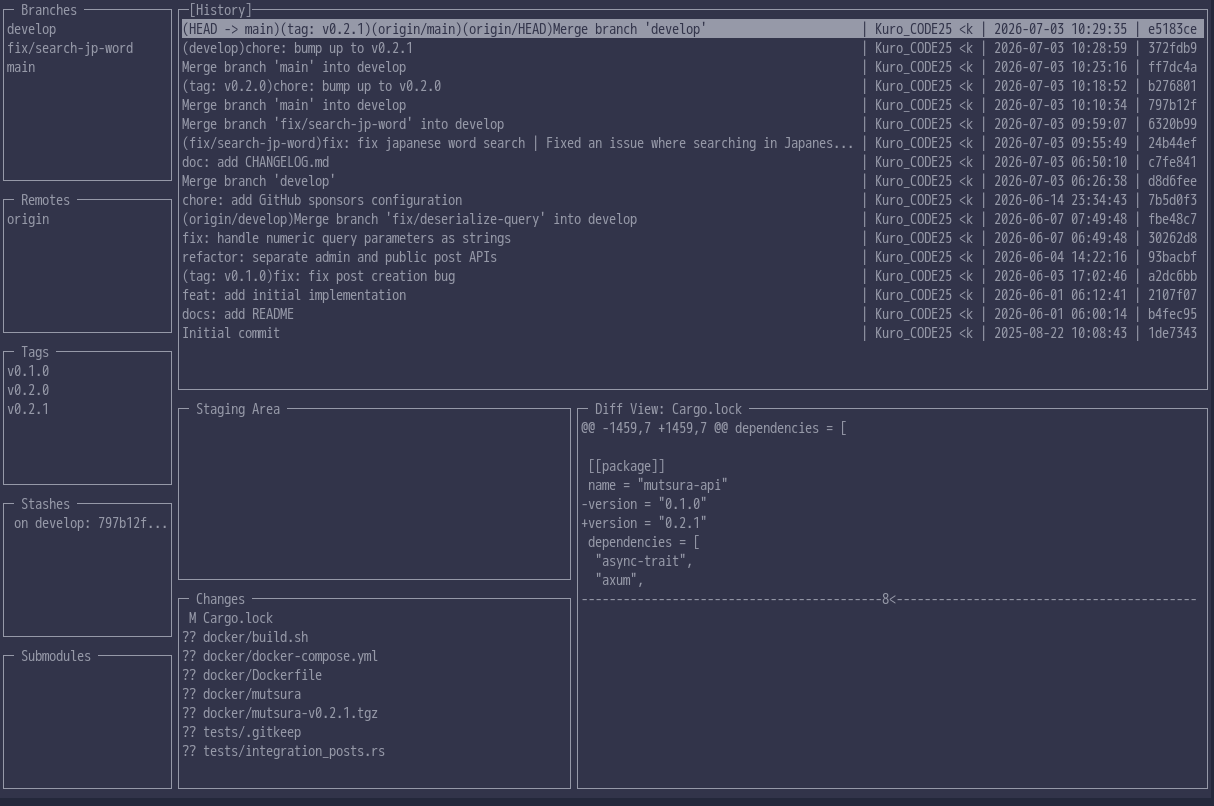
Overview
Giterm is a Git tool written in Python.
Interestingly, there is another project with the same name written in TypeScript on GitHub. However, its last commit was about five years ago, and I wasn’t able to build it successfully on my system.
Giterm can be installed easily using Python package managers such as pip or uv, making it easy for Python users to try.
After testing it myself, I found that it offers far fewer features than Tig, Lazygit, or Gitui. I couldn’t find support for common operations such as committing or pushing changes. Rather than serving as a complete replacement for Git commands, it seems to be designed primarily as a viewer for checking the current state of a Git repository.
If you mainly use Git from the command line but would like a lightweight viewer for browsing repository status, Giterm is an interesting option that’s easy to install.
Installation
You can install Giterm using either pip or uv:
pip install giterm
uv tool install giterm
Comparison Summary
Here’s a quick comparison of the Git clients introduced above.
| Name | Language | Key Features | Recommended For |
|---|---|---|---|
| Tig | C | Highly extensible, Vim-style workflow | Advanced Git users |
| Lazygit | Go | GUI-like experience, Vim key bindings | Beginners to intermediate users |
| Gitui | Rust | Tab-based interface, menu-driven operation | Users who prefer a clean UI |
| Giterm | Python | Repository viewer | Python enthusiasts |
Which TUI Git Client Should You Choose?
All of these tools are easy to try, but if you’re not sure where to start, here’s a quick recommendation:
- Tig – Ideal if you enjoy Vim key bindings and want a highly customizable Git workflow.
- Lazygit – Perfect if you want a polished, beginner-friendly TUI that feels almost like a GUI application.
- Gitui – A great choice if you don’t like Vim key bindings and prefer a clean, menu-driven interface.
- Giterm – Best suited for Python users who primarily use Git from the command line but would like a lightweight repository viewer.
Final Thoughts
Git is an essential tool for developers, so why not use a Git client that’s both powerful and enjoyable to work with?
There are plenty of excellent GUI Git clients available, but in this article I’ve focused on my favorite terminal-based alternatives. Whether you’re launching them directly from Vim (or Neovim), Emacs, or simply working in a terminal, these TUI applications can make your Git workflow faster and more enjoyable.
I hope this article helps you find the TUI Git client that best fits your Linux workflow.
